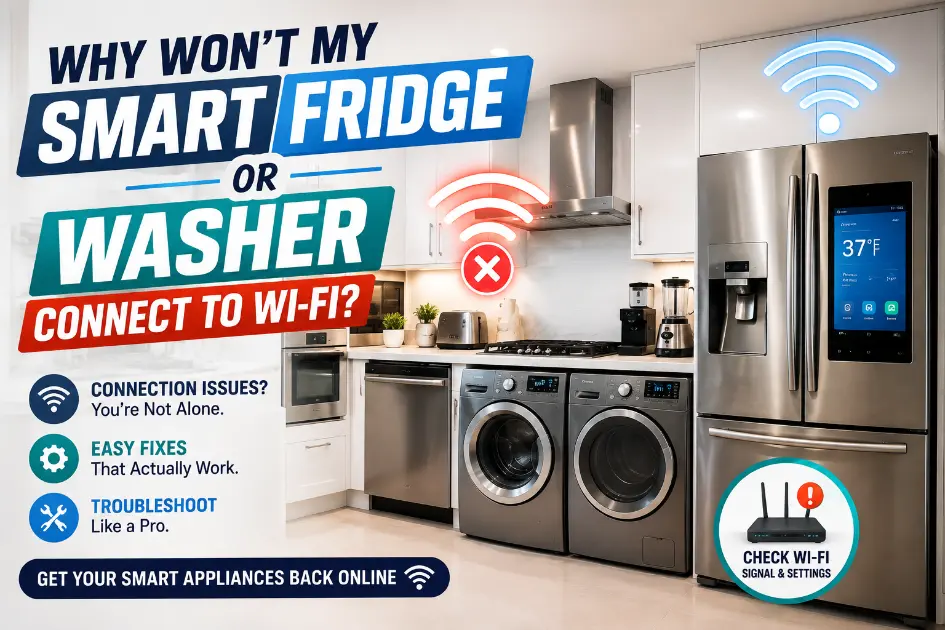
Why Would not My Smart Fridge or Washer Connect to WiFi? (And Does It Even Matter?)
You open the app to check if the wash cycle is done, and it just spins, trying to connect. Or your refrigerator’s touchscreen shows a little WiFi icon with a line through it, and now you are wondering if something is actually wrong with the fridge itself. Neither reaction is unreasonable. Smart appliances blur the line between “internet problem” and “appliance problem” in a way that older machines never did, and most people have no way to tell which one they’re dealing with just by looking at it.
Here is the short version, before getting into the details: in almost every case, losing WiFi does not stop a refrigerator from cooling or a washer from cleaning clothes. Those are mechanical and electrical functions that were designed to work long before WiFi chips got added to appliances at all. What you lose is the smart layer on top notifications, remote start, energy usage tracking, voice assistant integration. Annoying, sure. Not the same as an appliance that’s actually broken.
That said, there are situations where a connectivity issue is a symptom of something bigger, and knowing the difference saves you from either ignoring a real problem or panicking over a fake one.
Does Losing WiFi Stop the Appliance From Working?
For the vast majority of smart refrigerators and washers on the market, no. The compressor that keeps your fridge cold, the motor that spins your washer’s drum, the water valves, the heating elements all of that runs on the appliance’s internal control system, not on an internet connection. WiFi is layered on top of that control system to enable extra features, not to replace core functionality.
Refrigerators keep cooling. Freezers keep freezing. Washers still fill, agitate, drain, and spin through whatever cycle you select on the physical control panel. What typically breaks when WiFi drops:
- Push notifications (“your wash is done,” “your fridge door is open”).
- Remote start or remote temperature adjustment through the manufacturer’s app.
- Voice assistant control through Alexa, Google Home, or similar.
- Firmware and software updates delivered over the network.
- Energy usage tracking or diagnostic reporting sent to the manufacturer’s servers.
- Any cloud based feature specific to that brand’s ecosystem.
This varies by manufacturer and model, so it is worth checking your specific appliance’s documentation if you want to know exactly which features are network dependent versus which are built into the appliance itself. Samsung, LG, Whirlpool, and GE all handle this a little differently, and even models within the same brand can vary by year and feature tier.
The Difference Between a WiFi Problem and an Appliance Problem
This is really the core question, and it comes down to what else is happening alongside the connectivity loss.
A pure WiFi problem looks like this: the appliance runs normally when you use the physical controls, the cycle completes, the temperature stays consistent, but the app shows “offline” or would not sync. Nothing about the appliance’s actual performance has changed. That’s almost always a network issue, not a hardware fault.
A deeper problem looks different. If your refrigerator lost WiFi around the same time you started noticing it is not cooling as well, or your washer went offline and also started leaving standing water after cycles, that is not really about WiFi anymore. In some cases, a control board issue can affect both the network module and other functions at the same time, since the WiFi component is typically integrated into or connected to the same board that manages other electronics. That is a coincidence worth paying attention to, not proof of anything on its own, but it is the kind of pattern that’s worth having someone actually look at.
Common Reasons a Smart Refrigerator Won’t Connect
Router or network changes. If you have changed your WiFi password, switched internet providers, or replaced your router recently, the refrigerator is still trying to connect to old credentials it has saved internally. This is probably the single most common cause of a fridge suddenly showing “disconnected” with nothing else wrong.
Distance and obstruction. Refrigerators are large metal boxes, which is not a great combination with wireless signal. A refrigerator sitting far from the router, especially with walls, cabinetry, or other appliances in between, can have a weaker connection than a phone sitting in the same room would suggest.
Band mismatch. Some smart refrigerators only support the 2.4 GHz WiFi band, not the 5 GHz band that many newer routers default to. If your network setup separates these into two different network names, or if your router broadcasts a combined name but the appliance is not picking up the correct band automatically, that alone can prevent a connection regardless of signal strength.
App or account issues. Sometimes the appliance is connected to the network just fine, but the manufacturer’s app is having a separate problem an expired login, a server outage on their end, an app that needs updating. This shows up as “not connected” in the app even though the appliance itself has a working network connection.
Common Reasons a Smart Washer Won’t Connect
Washers run into most of the same issues as refrigerators, with a few additions specific to where they’re usually installed.
Laundry room location. Washers frequently end up in interior closets, garages, or utility rooms locations that were designed around plumbing and venting, not wireless coverage. These spots are often the worst WiFi spots in the house, sometimes by a significant margin, especially in larger homes or homes with concrete block construction, which is common throughout Tampa Bay and can interfere with signal more than typical drywall construction.
Power interruptions. A washer that loses power, even briefly, will lose its WiFi connection and needs to reconnect once power’s restored. Depending on the model, this reconnection can happen automatically or may need to be done manually through the appliance’s settings.
Setup errors during initial connection. If the washer was set up on a guest network, an older device is saved network, or a network name that later changed, it may show as connected in the app’s setup history without actually being connected in practice.
Router Distance and Weak Signals
It is worth being specific about signal strength, since “weak WiFi” gets blamed for a lot of things it is not actually causing, while genuinely being the cause of the connectivity problem itself more often than people assume.
A rough way to think about it: if your phone shows one or two bars standing right next to the appliance, that is likely your actual problem, and no amount of restarting the fridge is going to fix a signal that is not reaching it reliably. Large homes, homes with appliances in detached garages, and homes where the router sits on the opposite side of the house from the kitchen or laundry room all run into this regularly.
A WiFi extender or a mesh network system aimed at the specific area where the appliance sits often solves this more permanently than repeatedly power cycling the appliance itself.
Power Outages, Resets, and Tampa Weather
Tampa gets its share of storm related power interruptions, particularly during hurricane season, and that is relevant here in a fairly specific way. When power drops and comes back, most smart appliances need to reconnect to WiFi, and depending on the model, that reconnection is not always automatic.
Some appliances rejoin the saved network within a few minutes on their own. Others sit in a disconnected state until someone manually walks through the reconnection process in the app or on the appliance’s control panel. If your appliance went offline right around a storm or a brief outage and has not reconnected since, that is very likely what happened, and it is a straightforward fix rather than a sign of anything wrong with the appliance itself.
Router equipment matters here too. If your router or modem needed its own reset after an outage and that did not happen right away, the appliance may have been trying to reach a network that was temporarily down, not a network that had actually changed.
WiFi Credentials and Network Settings
This sounds almost too simple, but it is worth stating directly because it is genuinely one of the most common causes: if the WiFi password changed, the appliance does not know that automatically. It will keep trying to connect using the old, saved credentials and fail every time, with no indication to the homeowner beyond a generic “not connected” message.
The same applies if your internet provider changed your network name during a router swap or service upgrade. The appliance is still looking for a network name that technically no longer exists.
2.4 GHz vs. 5 GHz Compatibility
Most home routers today broadcast both a 2.4 GHz and a 5 GHz signal, sometimes under the same network name and sometimes as two separate names. The 5 GHz band is generally faster over short distances but does not travel through walls as well. The 2.4 GHz band is slower but reaches farther and penetrates obstacles more reliably.
A lot of smart refrigerators and washers only support 2.4 GHz, even on newer models, since that is more than sufficient for the small amount of data these appliances actually send. If your router is set up to only broadcast a combined network and is defaulting devices to 5 GHz, or if you have set up a 5 GHz only guest network by mistake, the appliance may simply be unable to see a network it can actually use. Checking your appliance’s specifications for supported WiFi bands is worth doing before assuming anything else is wrong.
App, Account, Firmware, and Manufacturer Service Problems
Not every connectivity complaint is actually about the appliance’s WiFi connection. Manufacturer apps have their own servers, their own login systems, and their own occasional outages, entirely separate from your home network.
If an app is showing appliances offline for a lot of users at once, not just yours, that is usually a manufacturer side issue rather than anything on your end, and it typically resolves within a few hours without any action needed. Checking the manufacturer’s support page or app store reviews for recent complaints can confirm whether this is a widespread issue.
Firmware updates can also cause temporary disconnections during the update process itself, which is normal, though an update that fails partway through occasionally requires a manual reset to complete properly.
What Homeowners Can Safely Check
Before assuming anything is broken, a few things are worth checking on your own, none of which require opening the appliance or touching anything beyond the normal controls:
- Confirm other devices can connect to the same WiFi network without issues.
- Double check you are selecting the correct network name in the appliance’s settings, especially if your home has multiple network names.
- Restart your router by unplugging it for about thirty seconds.
- Restart the appliance following the manufacturer’s specific reset instructions, which vary by brand and are usually in the manual or on the manufacturer’s support site.
- Check the manufacturer’s app for any listed outages or known issues.
- Confirm the app itself is updated to its latest version.
- Check whether your appliance supports 2.4 GHz, 5 GHz, or both, and confirm your router is broadcasting a band it can use.
Working through these in order usually resolves a pure connectivity issue without needing anything further.
When Resetting the Appliance Makes Sense
If basic router troubleshooting does not fix it, a full reconnection reset on the appliance itself is the next reasonable step. This process is different for every brand, and sometimes different between models from the same brand, so following your specific appliance’s instructions matters more than following general advice here. Most manufacturers walk through this in their app’s help section or in the printed manual that came with the appliance.
When a WiFi Problem May Point Toward Something Bigger
A WiFi issue on its own, with everything else working normally, is not a reason to call for repair. It is genuinely just a networking problem, and it deserves to be treated as one first.
That said, a few patterns are worth paying attention to:
- The appliance lost WiFi and, separately, started showing performance issues around the same time inconsistent cooling, a washer not completing cycles, unusual error codes on the display.
- The control panel itself seems unresponsive or is displaying other errors, not just a connectivity icon.
- The appliance has gone through multiple reset attempts using the manufacturer’s correct process and still would not reconnect, while other smart devices in the same location connect without issue.
None of these automatically mean the control board has failed. They mean the situation has moved past a simple networking fix and is worth having someone with actual diagnostic tools take a look, rather than continuing to guess.
When to Contact an Appliance Repair Professional in Tampa, FL
If the appliance is cooling or cleaning normally and only the smart features are affected, this generally is not a repair situation it is worth working through the troubleshooting steps above first, and most people resolve it there.
Appliance repair in Tampa, FL becomes worth considering when the connectivity issue is showing up alongside an actual functional problem, when the appliance’s display shows error codes beyond a simple offline indicator, or when you have correctly followed the manufacturer’s reset process multiple times without success and suspect something electronic is genuinely at fault rather than the network itself. A technician can test the control board and network module directly, which is the only reliable way to confirm whether a persistent connectivity failure is a hardware issue rather than something on the network side.
How to Avoid Unnecessary Service Calls
Most smart appliance connectivity complaints get resolved without any professional involvement at all. Confirming your network is actually working, checking the correct network name and password are entered, verifying band compatibility, and restarting both the router and the appliance handle the large majority of cases. Keeping the manufacturer’s app updated and periodically checking for firmware updates helps prevent some of these issues before they start.
A Quick Troubleshooting Checklist
- Confirm other devices connect to your Wi-Fi without trouble.
- Verify the appliance is set to the correct network name.
- Check whether the appliance requires 2.4 GHz and whether your router provides it.
- Restart your router.
- Restart the appliance using the manufacturer’s specific process.
- Update the manufacturer’s app.
- Check for any known outages on the manufacturer’s app or support page.
- If everything above checks out and it is still offline, consult your appliance’s manual for a full network reset.
Frequently Asked Questions
Will my refrigerator still cool if Wi-Fi stops working? Yes, in virtually all cases. Cooling is a mechanical and electrical function built into the appliance itself, not something that depends on an internet connection.
Will a washer still clean clothes without WiFi? Yes. Wash cycles run through the appliance’s internal controls. Losing WiFi affects remote features and notifications, not the wash cycle itself.
Why does my smart appliance keep going offline repeatedly, even after reconnecting? This usually points to a weak or inconsistent WiFi signal reaching the appliance’s location, rather than a one time setup issue. Improving coverage in that specific area, through a mesh system or extender, often fixes repeated disconnections better than reconnecting over and over.
Can a weak WiFi signal damage an appliance? No. A weak or absent signal affects connectivity features only. It has no effect on the mechanical or cooling systems inside the appliance.
When should I call for appliance repair in Tampa? When the connectivity issue is accompanied by an actual performance problem, when error codes appear beyond a simple offline indicator, or when correctly following the manufacturer’s reset process repeatedly fails to restore the connection.
A smart refrigerator or washer that’s lost its WiFi connection is almost always dealing with a networking problem, not a mechanical one. The core functions you actually bought the appliance for keep working the same way they would on a version without any smart features at all. Work through the network side first: correct credentials, correct band, router and appliance restarts, an updated app. If the appliance is performing normally otherwise, that is usually all it takes.
Where it is worth paying closer attention is when connectivity loss shows up alongside something else inconsistent temperatures, incomplete cycles, error codes that go beyond a simple offline icon. That combination is the signal that you are no longer dealing with a router problem, and it is a reasonable point to have someone qualified take a direct look rather than continuing to troubleshoot a network that may not be the actual issue anymore.